Banking, France – Canada transfer, my solutions
This one is not really related to IT and security, but I wanted to share about how I found solutions for my banking challenges.
Lately, I did read a lot about retirement, financial planning, financial freedom etc, and I learned that traditional banks are not our best friends when it comes to finance. Either personal or business accounts, banks cost you money, while they should give you money !
So my first discovery and move this year, was to move to Wealthsimple, and it has been an amazing experience. If you open an account using the link here, or using that code : WGNWUH , you’ll get $25 bonus, and I’ll get it too, assuming you open an account and put CAD $100 on it.
What’s amazing with this platform is that your money, by default, works for you !! When you open a bank account in a traditional bank, they charge you, non stop ! Could be $6 a month, or they charge you for operations and more !
Well, moving to Wealthsimple, you get money even when you do nothing, along as you have money in your account. And they have tons of advantages, including free transactions on tons of thing, stock investing and more, no limit, your money is your money, and that’s a relief.
The more money you have in your accounts, as a household, so are eligible anyone living with you, same address, combine their value, and you reach milestones that give you some great perks ! I enjoy the airports lodges so much, with buffet and all, thanks to them ! And on top of this, your milestone rewards are renewed every year, as long as you keep the value in your account.
Now that you hold your money in an account that works for you, and are able to invest without transaction fees, you may have some money in France, or receive money from France. One of the constraint with Wealthsimple, is that they won’t accept foreign currencies, aside of CAD and USD.
So either you need to send money from France in CAD, but this is usually costly at your bank, with fees and not the best exchange rate. This is where I found « WISE », this platform allows you to open an account, which will handle multiple currencies, with banks transfer in the support of the currency. If you open an account with this link, or clicking on the picture below, you also get CAD $25 and me too : https://wise.com/invite/dic/alexandreb5263

When you open the account, pick your local currency, and select your country of residence, prove your identity, as always with financing solution, and then, in the same account, you go in account details, and add currencies.
This will add supported currencies, and provide you with bank account information in a country where the currency is in use.
In my case, first one is CAD, second one is EUR.
From there, you can send money for free with a wire transfer from your French traditional bank, using IBAN, and it will land in your Wise account.
Then, you convert the amount in the other currency, they’ll apply the exchange rate of the day, with a small margin, smaller than traditional banks would do.
From there, you can get your money in your local CAD account. But wait, if your try to send a wire transfer, or an interac, you’ll be charged a fee, and we don’t like fees !
EDIT – NO NO NO – Don’t use the direct debit crap on wealthsimple to pull money from Wise !! WISE WILL SCREW YOU
This is where WealthSimple comes to play again !! WealthSimple is partner with Wise, so as you know. Yet, you can just link the bank account in WealthSimple, as you’d do with any other bank account, and withdraw the amount you want from Wise to your WealthSimple account for absolutely no fee !!
EDIT CONTINUED : Use Interact instead, WISE did reverse the direct debit, without any fucking reason, this did lead to my wealhsimple account to be fully blocked, credit card blocked because of this moronic move.
WealthSimple seems to do their job as basically Wise said ok, and then cancelled and pulled the money back ! I’m furious !
Interac seems to be free as well from Wise, but I’m still waiting on them to actually do it, while my account at WS is blocked temporarily (nopefully).
More about this crap here too : https://www.reddit.com/r/Wealthsimple/comments/1ss39fv/eft_wise_wealthsimple_is_being_reversed/
That’s my cheapest way so far to transfer money between Europe and Canada, fairly quickly at low cost.
Again, I hope this will help some of you !

ProtonDrive on MacOS – How to recover your vanished local files
I’m using ProtonDrive on MacOs, with the idea of having an encrypted backup copy, versioning, online trash (to recover deleted files), and the ability to access my files when I need from my phone.
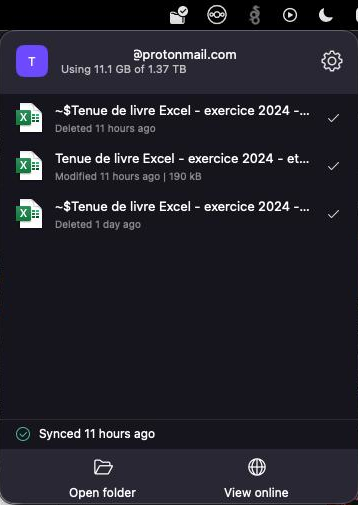
But in the last weeks, something bad happened, the whole ProtonDrive folder on the MAC vanished. Suddenly, the ProtonDrive app asked to login again.
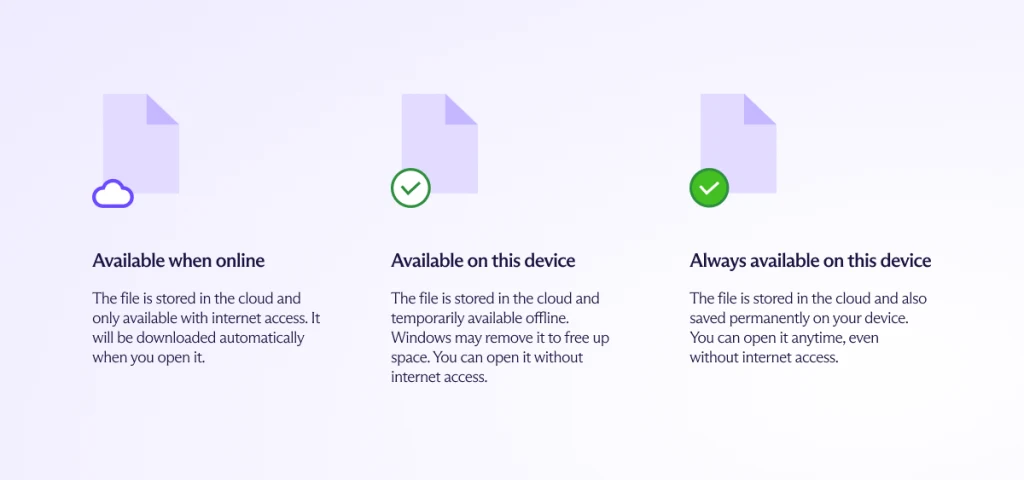
I thought, ok, good, session expired, let’s reconnect. When reconnecting, only remote files appeared, with the little « not synced » cloud icon on them (available when online), and the worst, it hadn’t synced a thing for 2 months (missing any change or new files created for 2 months).
Ok, that Mac is a small MacBook Air M1 with only 8Gb of ram, and it does struggle with the RAM a lot, so, somehow, the sync in the client stopped syncing weeks ago (my guess is, it ran out of memory for the sync, but that’s my own guess).
Issue is, 2 months of work, accounting and other files vanished ! Bad bad bad. And even worse than that, remembering what was modified over 2 months, no idea.
So I started to redo the accounting work, as much as I could, and started to wonder, where did all these files go ? Nothing in trash.
I contacted Proton support, they’ve been great, as I asked « where the hell is the local folder ?! » … hoping to recover my local, cached files that didn’t sync, a little hope… And here is what I got :
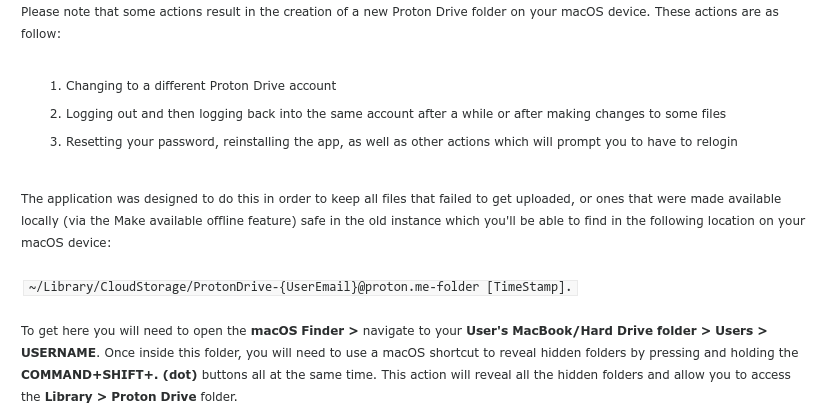
And that’s where, all my files were hiding ! Browsing to the folder allowed to see the two folders, the new one that got re-created after the reconnected, AND, the old, original one, with all my local files still in there !
So I did copy most of them back in the new folder, which synced !
I hope this one may help some of you in the same situation, if your local system didn’t get destroyed, and you just did get disconnected / reconnected, or for some reason the proton drive client got reset, that’s how you may recover your files.
Make sure your proton drive is syncing, each time you save a file, take a look in the status bar, and ensure that when you click « save » on your document, in your proton drive folder, the client just sync them right away.
That’s it for this one ! I didn’t find the path online, until support shared it, so, I thought it could help others in despair !
Fizz, unable to change credit card, bad address error and solution
So my mobile provider is Fizz, and lately, I changed my bank, and wanted to change the credit card attached to one of the Fizz phone lines that I have ( I do use Fizz for the whole family, with independent accounts, allowing me to send data from my more expensive account, to the others, when I have extra).
But, when I tried to add my new credit card, it worked on one of the accounts, but not on another one.
I tried, so many time, digging for the exact physical address in the account, as the error was about « wrong address ».
Well, I finally reached to the support, only to realize that FIZZ blocked all accounts using protonmail.com and proton.com emails !!
The error was absolutely misleading, as it had nothing to do with the credit card, but all to do with the fact that FIZZ won’t allow you to update or change your credit card is you use a protonmail account.
Now fun stuff, I switched to an email on my domain, inforeseau.com (on which this blog is), and it worked, but guess what, this is ALSO a protonmail email, because my domain MX is on proton.
So here is my guess : It’s most likely about fighting fraud and crime
Anyone can create a free proton email, and proton will protect the privacy of the user, therefore, the phone company can’t know who’s behind the email.
It could be a stolen credit card, or a prepaid credit card, not allowing to track the owner. So, instead of filtering payment transactions, they did this based on email domain.
And when using your own domain on proton, they sure can’t get your info from proton, but it can be pulled from the registrar etc, so with a domain, we can somehow track the owner of it.
I hope this will help some of you, if you have this « bad address » error while renewing or setting new credit card in your Fizz account, it’s most likely that you use a @proton.com or @protonmail.com like email.
To update the email, you have no other choice that chatting with the support on the site, which will check your identity, they might require a picture of your credit card where you hide some of the numbers, and they’ll change the email for you.
Once done, your new credit card will work.
By the way, my new bank is Wealthsimple, and if you open an account there, because they are so so much better than banks (you make money with them, instead of being ripped of), use the following code to get $25 bonus when opening the account and I get $25 too : WGNWUH or the URL https://wealthsimple.com/invite/WGNWUH
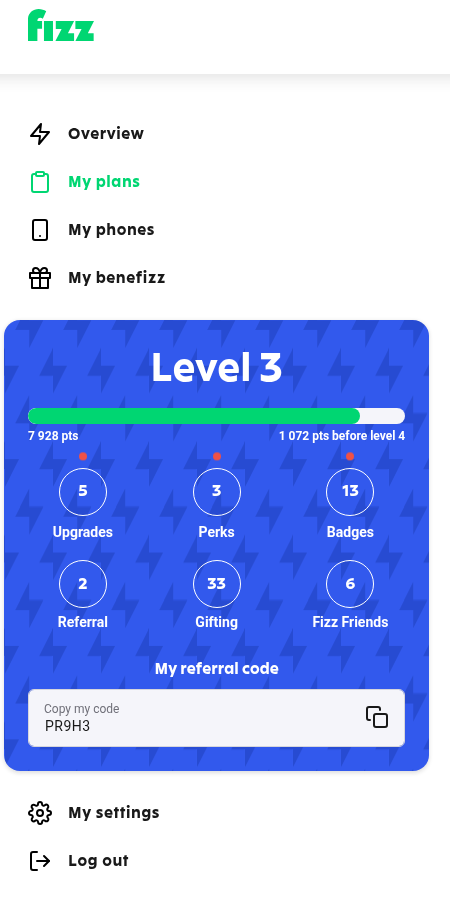
If you plan to open a Fizz account, also use my referral code !! PR9H3 so as you get a bonus, and I get a bonus ($25 after 2 months, at the time of wrting this) !
I hope this will help some of you, it wasn’t clear to me, everybody online was saying « check the exact matching postal address » and all, but it had nothing to do with it.
There is also a resource on this topic on proton’s website, as it seems to be something that happens quite often : https://proton.me/support/website-blocks-protonmail-email-address
Pages
- À propos
- Alexandre Blanc Experience or work background
- Connected=hacked, cloud=leak, why
- Keeping track for my speaking events / appearances
- My take on Zero Trust – SP 800-207
- Openvpn and pihole on OVH VPS Server FAQ
- Raspberry 3 router project FAQ
- Spotting LinkedIn fake profiles, the tail of industrial spying, should I trust this contact ?
Search this Site
Archive
- août 2026
- avril 2025
- juin 2024
- mai 2024
- mars 2024
- février 2022
- janvier 2022
- octobre 2021
- septembre 2021
- mai 2021
- octobre 2020
- juin 2020
- avril 2020
- avril 2019
- janvier 2019
- juin 2018
- mars 2017
- octobre 2016
- août 2016
- mai 2016
- septembre 2015
- mai 2015
- février 2015
- novembre 2014
- septembre 2014
- août 2014
- janvier 2013
- décembre 2012
- juillet 2012
- janvier 2012
- novembre 2011
- octobre 2011
- mai 2011
- avril 2011
- mars 2011
- février 2011
- janvier 2011
- décembre 2010
- novembre 2010
- octobre 2010
- septembre 2010