ProtonDrive on MacOS – How to recover your vanished local files
I’m using ProtonDrive on MacOs, with the idea of having an encrypted backup copy, versioning, online trash (to recover deleted files), and the ability to access my files when I need from my phone.
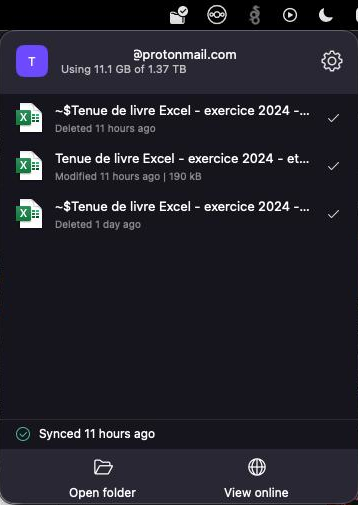
But in the last weeks, something bad happened, the whole ProtonDrive folder on the MAC vanished. Suddenly, the ProtonDrive app asked to login again.
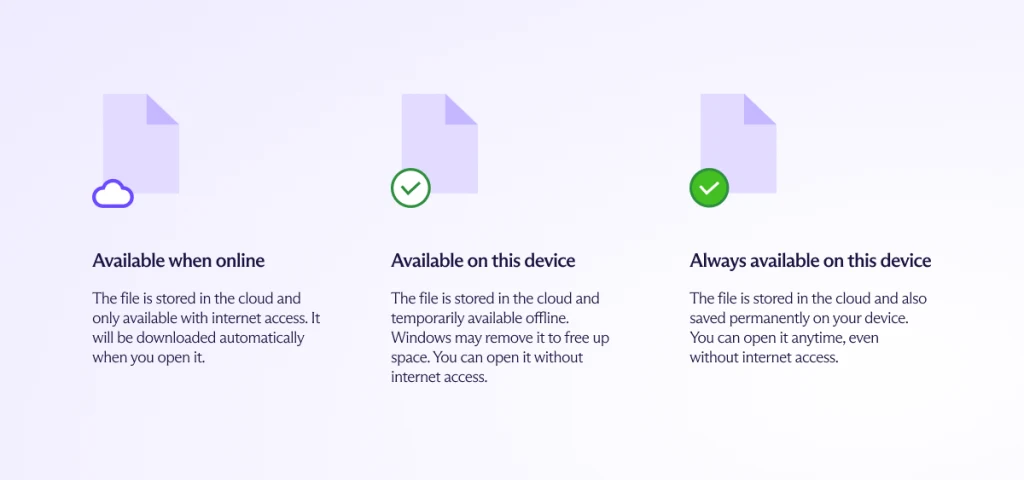
I thought, ok, good, session expired, let’s reconnect. When reconnecting, only remote files appeared, with the little « not synced » cloud icon on them (available when online), and the worst, it hadn’t synced a thing for 2 months (missing any change or new files created for 2 months).
Ok, that Mac is a small MacBook Air M1 with only 8Gb of ram, and it does struggle with the RAM a lot, so, somehow, the sync in the client stopped syncing weeks ago (my guess is, it ran out of memory for the sync, but that’s my own guess).
Issue is, 2 months of work, accounting and other files vanished ! Bad bad bad. And even worse than that, remembering what was modified over 2 months, no idea.
So I started to redo the accounting work, as much as I could, and started to wonder, where did all these files go ? Nothing in trash.
I contacted Proton support, they’ve been great, as I asked « where the hell is the local folder ?! » … hoping to recover my local, cached files that didn’t sync, a little hope… And here is what I got :
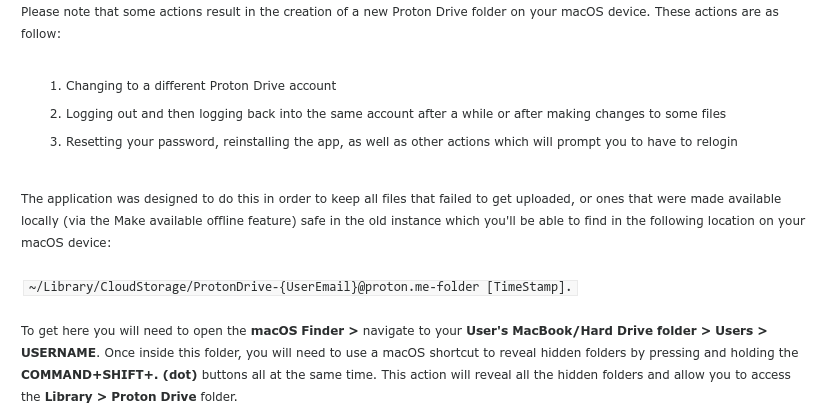
And that’s where, all my files were hiding ! Browsing to the folder allowed to see the two folders, the new one that got re-created after the reconnected, AND, the old, original one, with all my local files still in there !
So I did copy most of them back in the new folder, which synced !
I hope this one may help some of you in the same situation, if your local system didn’t get destroyed, and you just did get disconnected / reconnected, or for some reason the proton drive client got reset, that’s how you may recover your files.
Make sure your proton drive is syncing, each time you save a file, take a look in the status bar, and ensure that when you click « save » on your document, in your proton drive folder, the client just sync them right away.
That’s it for this one ! I didn’t find the path online, until support shared it, so, I thought it could help others in despair !

Ajouter un commentaire
Pages
- À propos
- Alexandre Blanc Experience or work background
- Connected=hacked, cloud=leak, why
- Keeping track for my speaking events / appearances
- My take on Zero Trust – SP 800-207
- Openvpn and pihole on OVH VPS Server FAQ
- Raspberry 3 router project FAQ
- Spotting LinkedIn fake profiles, the tail of industrial spying, should I trust this contact ?
Search this Site
Archive
- août 2026
- avril 2025
- juin 2024
- mai 2024
- mars 2024
- février 2022
- janvier 2022
- octobre 2021
- septembre 2021
- mai 2021
- octobre 2020
- juin 2020
- avril 2020
- avril 2019
- janvier 2019
- juin 2018
- mars 2017
- octobre 2016
- août 2016
- mai 2016
- septembre 2015
- mai 2015
- février 2015
- novembre 2014
- septembre 2014
- août 2014
- janvier 2013
- décembre 2012
- juillet 2012
- janvier 2012
- novembre 2011
- octobre 2011
- mai 2011
- avril 2011
- mars 2011
- février 2011
- janvier 2011
- décembre 2010
- novembre 2010
- octobre 2010
- septembre 2010