Fizz, unable to change credit card, bad address error and solution
So my mobile provider is Fizz, and lately, I changed my bank, and wanted to change the credit card attached to one of the Fizz phone lines that I have ( I do use Fizz for the whole family, with independent accounts, allowing me to send data from my more expensive account, to the others, when I have extra).
But, when I tried to add my new credit card, it worked on one of the accounts, but not on another one.
I tried, so many time, digging for the exact physical address in the account, as the error was about « wrong address ».
Well, I finally reached to the support, only to realize that FIZZ blocked all accounts using protonmail.com and proton.com emails !!
The error was absolutely misleading, as it had nothing to do with the credit card, but all to do with the fact that FIZZ won’t allow you to update or change your credit card is you use a protonmail account.
Now fun stuff, I switched to an email on my domain, inforeseau.com (on which this blog is), and it worked, but guess what, this is ALSO a protonmail email, because my domain MX is on proton.
So here is my guess : It’s most likely about fighting fraud and crime
Anyone can create a free proton email, and proton will protect the privacy of the user, therefore, the phone company can’t know who’s behind the email.
It could be a stolen credit card, or a prepaid credit card, not allowing to track the owner. So, instead of filtering payment transactions, they did this based on email domain.
And when using your own domain on proton, they sure can’t get your info from proton, but it can be pulled from the registrar etc, so with a domain, we can somehow track the owner of it.
I hope this will help some of you, if you have this « bad address » error while renewing or setting new credit card in your Fizz account, it’s most likely that you use a @proton.com or @protonmail.com like email.
To update the email, you have no other choice that chatting with the support on the site, which will check your identity, they might require a picture of your credit card where you hide some of the numbers, and they’ll change the email for you.
Once done, your new credit card will work.
By the way, my new bank is Wealthsimple, and if you open an account there, because they are so so much better than banks (you make money with them, instead of being ripped of), use the following code to get $25 bonus when opening the account and I get $25 too : WGNWUH or the URL https://wealthsimple.com/invite/WGNWUH
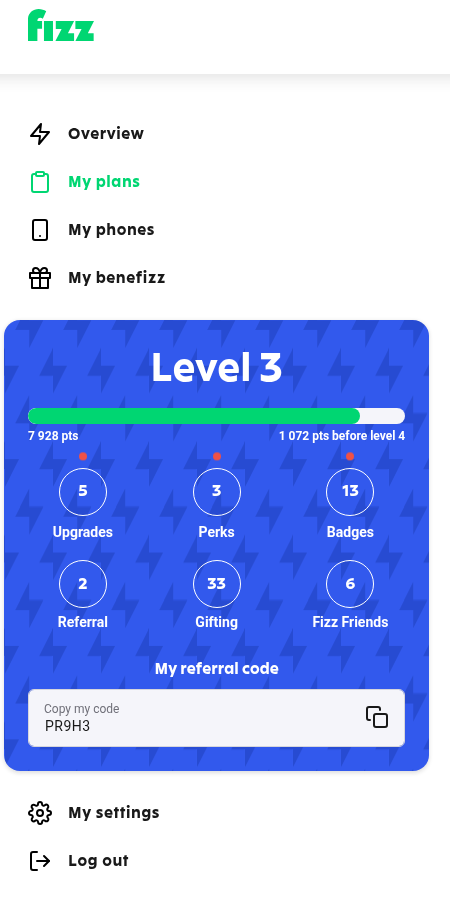
If you plan to open a Fizz account, also use my referral code !! PR9H3 so as you get a bonus, and I get a bonus ($25 after 2 months, at the time of wrting this) !
I hope this will help some of you, it wasn’t clear to me, everybody online was saying « check the exact matching postal address » and all, but it had nothing to do with it.
There is also a resource on this topic on proton’s website, as it seems to be something that happens quite often : https://proton.me/support/website-blocks-protonmail-email-address

Ajouter un commentaire
Pages
- À propos
- Alexandre Blanc Experience or work background
- Connected=hacked, cloud=leak, why
- Keeping track for my speaking events / appearances
- My take on Zero Trust – SP 800-207
- Openvpn and pihole on OVH VPS Server FAQ
- Raspberry 3 router project FAQ
- Spotting LinkedIn fake profiles, the tail of industrial spying, should I trust this contact ?
Search this Site
Archive
- août 2026
- avril 2025
- juin 2024
- mai 2024
- mars 2024
- février 2022
- janvier 2022
- octobre 2021
- septembre 2021
- mai 2021
- octobre 2020
- juin 2020
- avril 2020
- avril 2019
- janvier 2019
- juin 2018
- mars 2017
- octobre 2016
- août 2016
- mai 2016
- septembre 2015
- mai 2015
- février 2015
- novembre 2014
- septembre 2014
- août 2014
- janvier 2013
- décembre 2012
- juillet 2012
- janvier 2012
- novembre 2011
- octobre 2011
- mai 2011
- avril 2011
- mars 2011
- février 2011
- janvier 2011
- décembre 2010
- novembre 2010
- octobre 2010
- septembre 2010