Sober display crash fix on Linux with AMD GPU
A quick one, I’m using SOBER to play Roblox games on linux, well, I used to, but at some point the app started crashing after summer 2026.
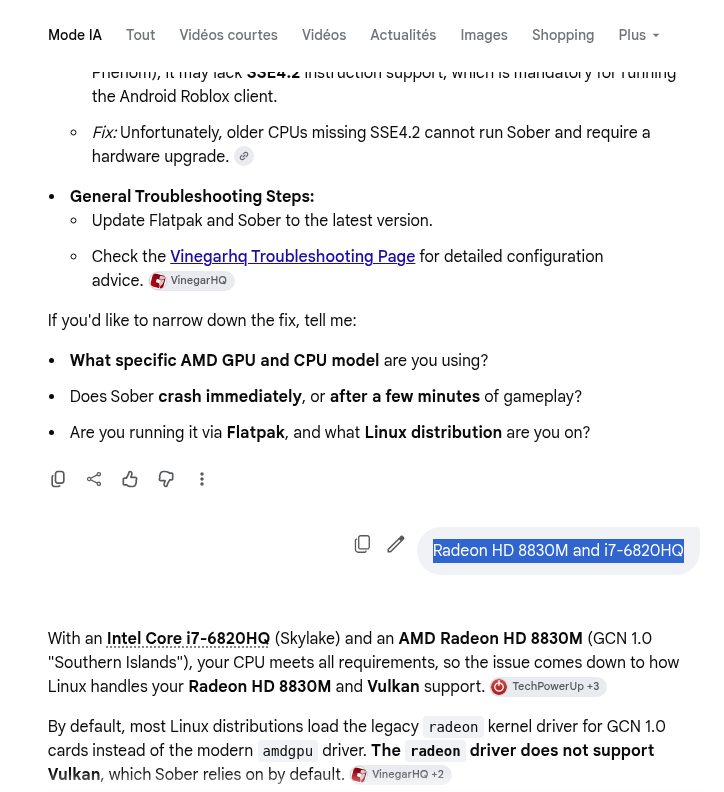
I searched and found all kind of tricks and tweaks to try to force the software to use the proper display adapter (my laptop has the intel integrated graphics (i7-6820HQ) and a Radeon HD 8830M.
It looked like this, until I looked into the settings :
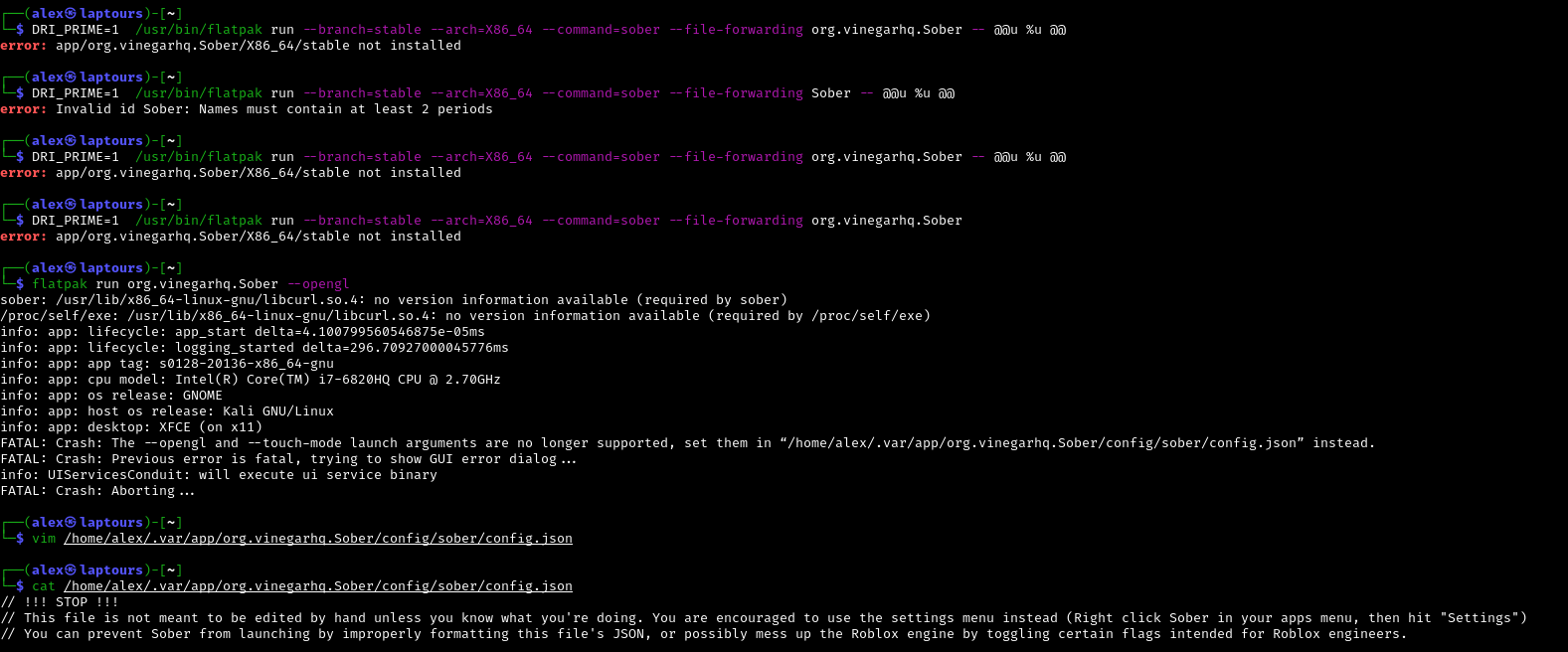
And after searching, using google AI to find a way (didn’t help ) :
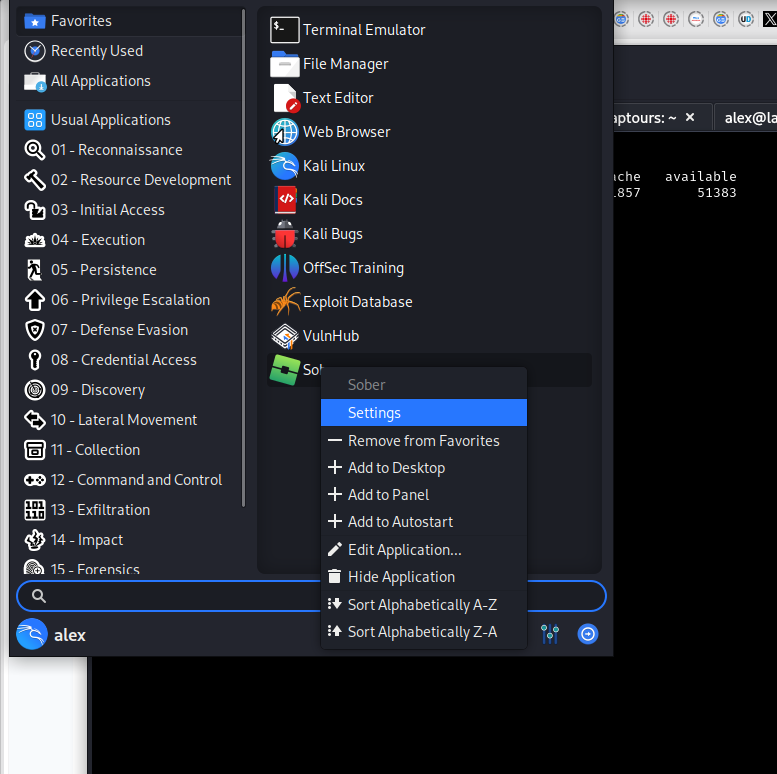
Yet, the option listed in the first console image above above (yes, not the google search, above), gave an interesting hint, stating that now, instead of playing with the config file, we can right click on the Sober icon in the app list, and go to settings (Whaaat, is this guy running Sober on Kali linux ?!! And does it means he’s using Kali as desktop computer which is insecure !!!? …. yes, sorry for this..I won’t do it again, …well no, I don’t care, it’s linux, I do what I want), so it looks like this :
And this bring you to start Sober setting option (wait a bit for it to start) :
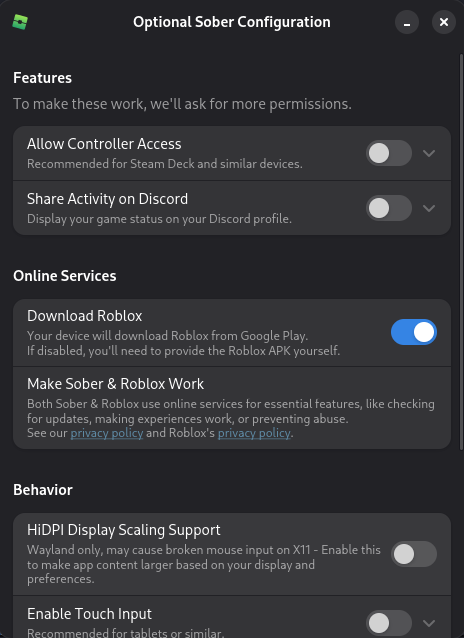
And you need to scroll down until you see the option « Force Legacy Rendering » :
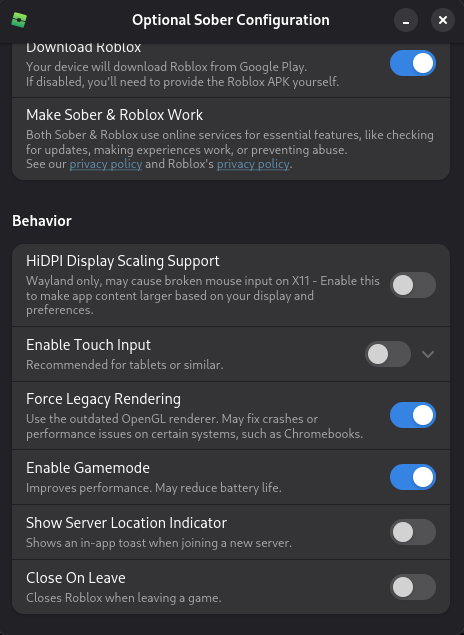
Then you close it, and start SOBER ! And it finally runs as before !
I can now play my favorite game again ! (Rolling Thunder) !
I hope it will help some of you ! Happy gaming !

Ajouter un commentaire
Pages
- À propos
- Alexandre Blanc Experience or work background
- Connected=hacked, cloud=leak, why
- Keeping track for my speaking events / appearances
- My take on Zero Trust – SP 800-207
- Openvpn and pihole on OVH VPS Server FAQ
- Raspberry 3 router project FAQ
- Spotting LinkedIn fake profiles, the tail of industrial spying, should I trust this contact ?
Search this Site
Archive
- novembre 2026
- août 2026
- avril 2025
- juin 2024
- mai 2024
- mars 2024
- février 2022
- janvier 2022
- octobre 2021
- septembre 2021
- mai 2021
- octobre 2020
- juin 2020
- avril 2020
- avril 2019
- janvier 2019
- juin 2018
- mars 2017
- octobre 2016
- août 2016
- mai 2016
- septembre 2015
- mai 2015
- février 2015
- novembre 2014
- septembre 2014
- août 2014
- janvier 2013
- décembre 2012
- juillet 2012
- janvier 2012
- novembre 2011
- octobre 2011
- mai 2011
- avril 2011
- mars 2011
- février 2011
- janvier 2011
- décembre 2010
- novembre 2010
- octobre 2010
- septembre 2010