Archive for avril 17th, 2025
Getting voLTE on your Android with Fizz and others
Quick backstory : I used to have a phone provider which did raise the price of subscription without notification, just started charging more. I called them, they didn’t care and politely told me to fuck off (spoke about it a bit on LinkedIn here)
Direct consequence, moving all my subscription to another provider from another network (avoiding sister companies and fake competitors).
So I went for Fizz, a Canadian based company with good prices and a great flexibility allowing to share data across users. It’s a fully automated provider, basically no humans, aside of support chat.
They get really bad reviews due to this, but I’ve been very happy, they helped me quickly, and it’s great so far.
Getting to the point, this provider, as many others, are shutting down legacy networks (3G etc) this summer, with a warning on their site, letting you know that if your phone doesn’t support voLTE, you won’t be able to call or have SMS, and 911 capability won’t be available.
They do provide a limited list of supported phones, and tell you that they don’t support other, BUT, they won’t make anything to block them either.
I’m using a Google Pixel 3a with lineageos (previously running grapheneOS but they stopped support for lack of firmware patch support), allowing me to keep the system up to date.
The Pixel 3a does support voLTE, and, it was enabled and working on my previous provider. When I switched to Fizz, it would show that VoLTE wasn’t working.
Basically, dialing the code *#*#4636#*#* would load a « Testing » menu, then going in « Phone information », you’d go on the top 3 dots, and go for « IMS service status ».
When it doesn’t work, it will state « Unavailable » :
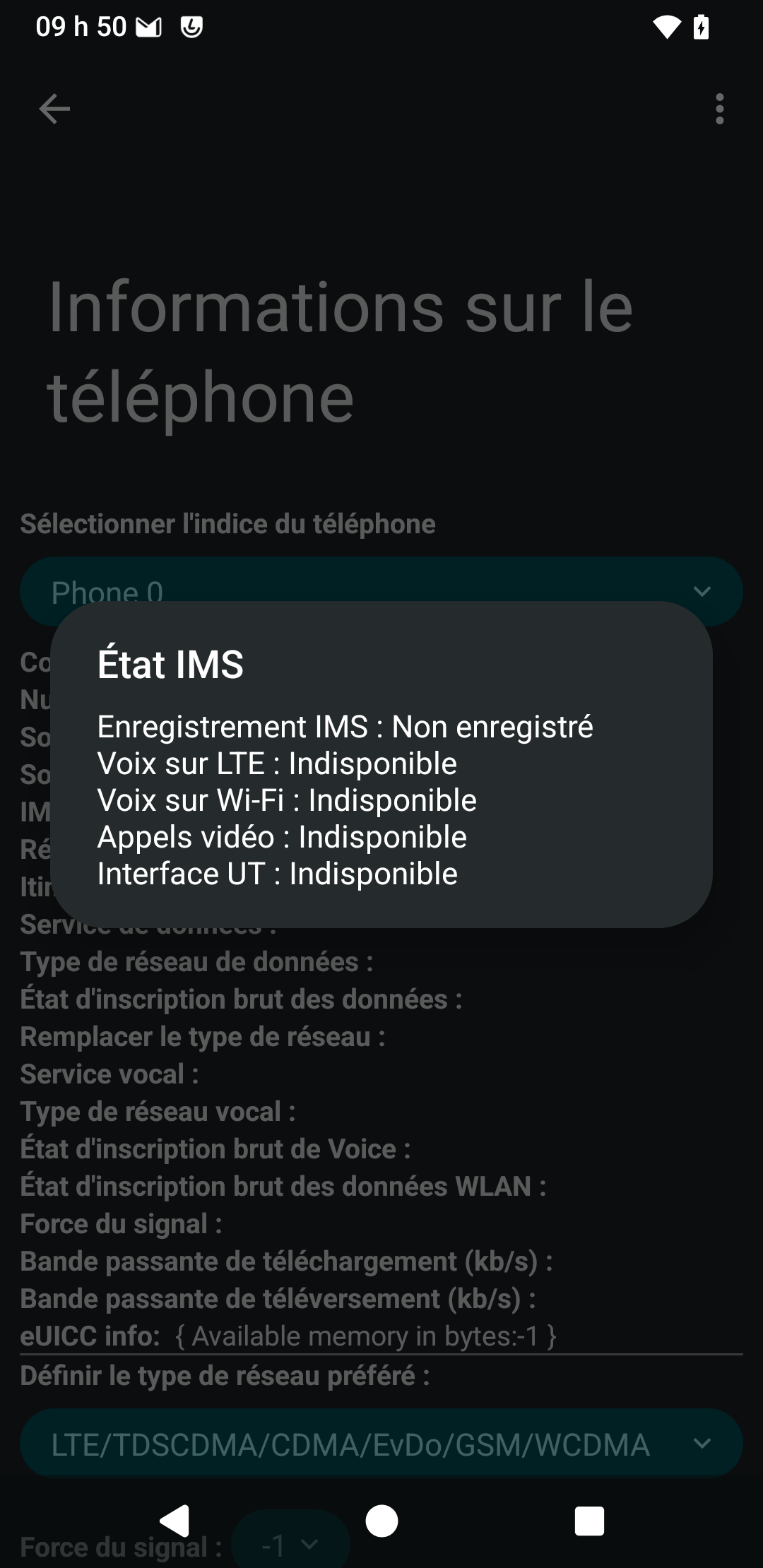
So that was the status of my phone. Fizz provides you with a short number that you can call to test if you are on VoLTE : #8378 (as explained on their explanation page why voLTE is important)
Key points to check before moving ahead :
- Making sure your phone supports voLTE (pixel 3a does)
- Making sure your physical SIM card supports voLTE (Fizz ones that support have a red lightning on it)
For some reasons, you need to force your Android voLTE capable phone to enable the support of voLTE.
I cam across many posts covering the topic, one of which is this one : https://xdaforums.com/t/enable-volte-vowifi-in-unsupported-countries-without-root-requires-shizuku.4550299/
I did like the idea of not needing to root the phone, and the ability to do all of this without requiring a computer.
So the actions that I needed to do were :
- Install Shizuku from the playstore (there is a complete guide for Shizuku here https://github.com/kyujin-cho/pixel-volte-patch/blob/main/README.en.md )
- Go in developer options in the phone, and enable « wireless debugging » (trust your own device network)
- Just follow the guide from Shizuku here and get Shizuku to start (wireless paring, filling the PIN and then starting Shizuku)
- Download and install the apk for Pixel IMS Application (the app is no longer in the app store, but you can get the apk from the link in the tutorial ) – Shizuku must be running to be able to edit the setting
- You’ll find most likely the tab for the SIM card of your provider (Fizz in my case), in which you can check « Enable voLTE »
Once done, you make sure it’s now appearing under Settings -> Network & Internet -> SIMs -> Your Sim card (Fizz in my case), scroll down and you should see to option to enable voLTE, if not already enabled :
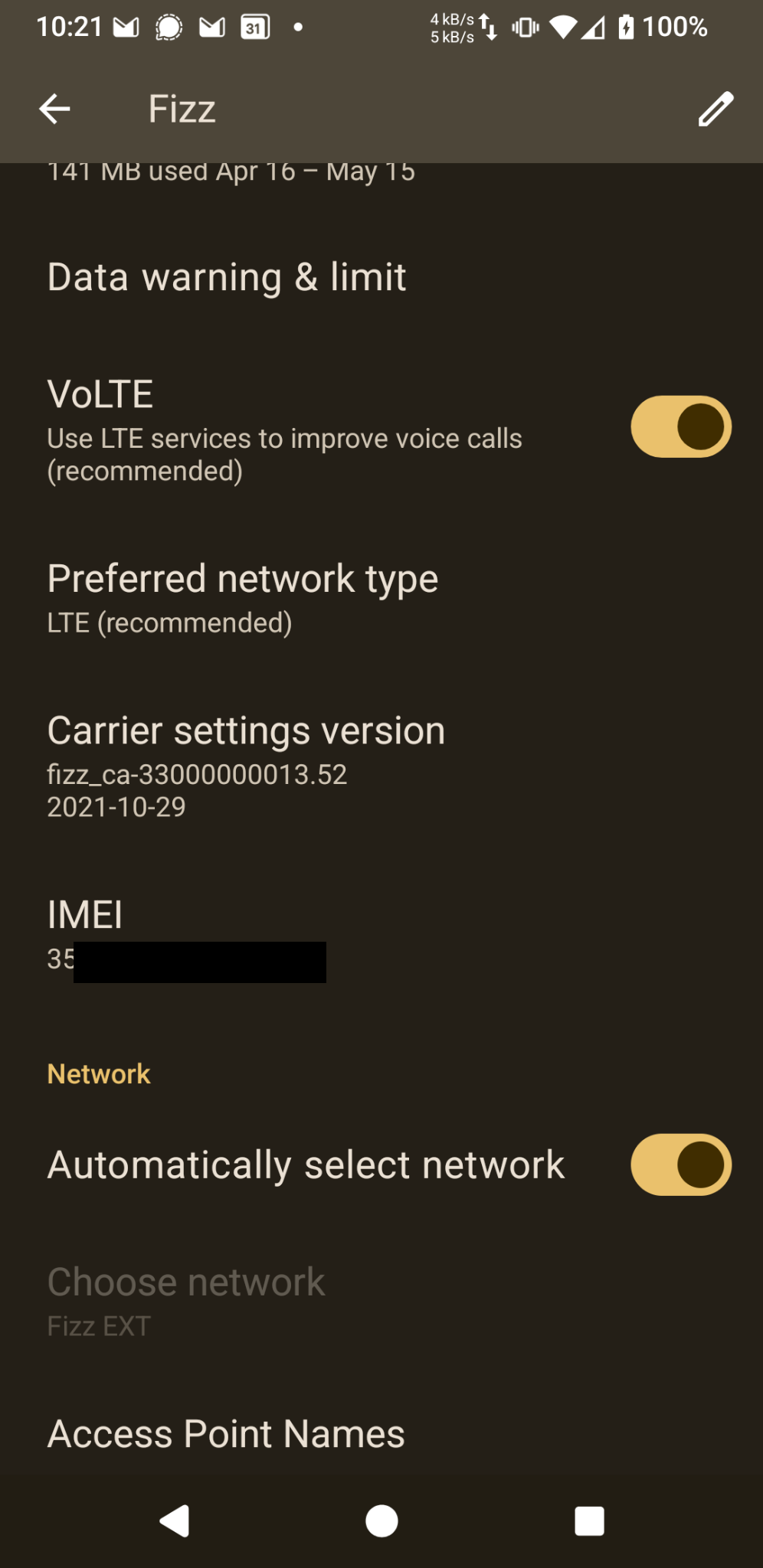
And there you have it !
Shizuku state that activating it by the wireless debug doesn’t survive reboot. It’s true that Shizuku is NOT running after reboot, and the wireless debugging get turned off (better for security), but it doesn’t matter because voLTE remains enabled in the system, and the option remain checked for the SIM card.
It may not survive a system update (new release of lineageos), but once you did it, you’ll see it takes like 2 minutes to apply again.
After having this in place, I get an nice confirmation by calling #8378 that my phone is calling on voLTE.
If you go dialing the code *#*#4636#*#* again, and the « Testing » menu, then going in « Phone information », you’d go on the top 3 dots, and go for « IMS service status », here is what you get when it works :
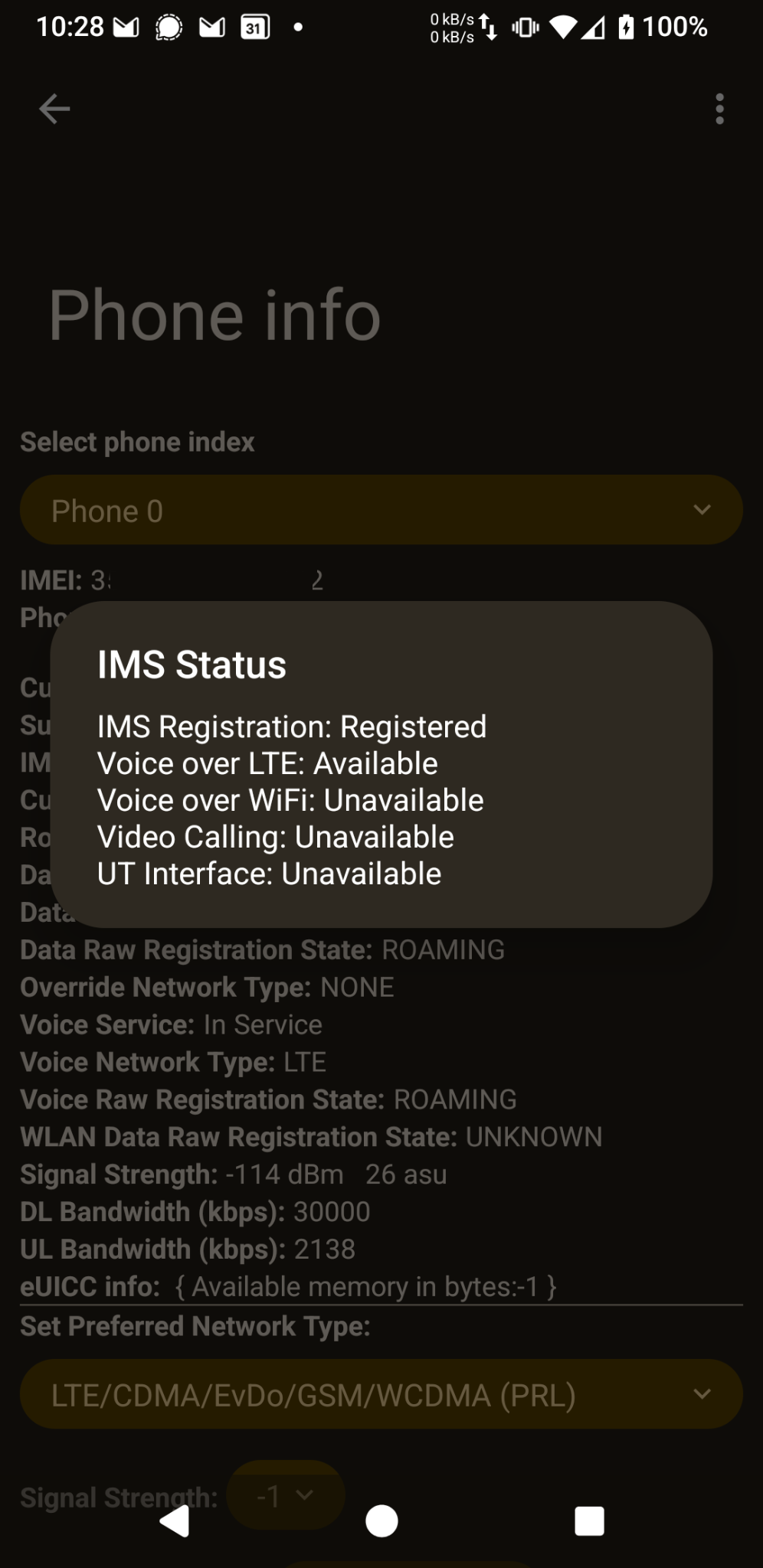
I hope this will help some of you getting their voLTE compatible phone working with providers that don’t push configuration to phone they didn’t test, but actually work well with it.
It will be a good memo for me if ever I need to do it again as well !
While it worked for Fizz and pixel 3a, I did read online people having successfully connected other phones like Sony android supporting voLTE and other, to different mobile providers in many countries.

Pages
- À propos
- Alexandre Blanc Experience or work background
- Connected=hacked, cloud=leak, why
- Keeping track for my speaking events / appearances
- My take on Zero Trust – SP 800-207
- Openvpn and pihole on OVH VPS Server FAQ
- Raspberry 3 router project FAQ
- Spotting LinkedIn fake profiles, the tail of industrial spying, should I trust this contact ?
Search this Site
Archive
- août 2026
- avril 2025
- juin 2024
- mai 2024
- mars 2024
- février 2022
- janvier 2022
- octobre 2021
- septembre 2021
- mai 2021
- octobre 2020
- juin 2020
- avril 2020
- avril 2019
- janvier 2019
- juin 2018
- mars 2017
- octobre 2016
- août 2016
- mai 2016
- septembre 2015
- mai 2015
- février 2015
- novembre 2014
- septembre 2014
- août 2014
- janvier 2013
- décembre 2012
- juillet 2012
- janvier 2012
- novembre 2011
- octobre 2011
- mai 2011
- avril 2011
- mars 2011
- février 2011
- janvier 2011
- décembre 2010
- novembre 2010
- octobre 2010
- septembre 2010